

What is Channel Partner Private Offer (CPPO)?
The Channel Partner Private Offer (CPPO) is a mechanism that allows our channel partners to extend our GRI offers to their customers directly through AWS Marketplace. The marketplace safely handles all of the billing and rev-sharing responsibilities between the customer, the partner, and Archera.Requirements for Archera to Extend the CPPO
First, ensure that you are registered as an AWS Marketplace seller so that we can extend a CPPO to your team. AWS Marketplace: Channel Partner Private Offers Once you are listed as a reseller, we can extend the CPPO to your organization - it’s simple as that! Reach out to partnersupport@archera.ai or in the shared Slack workspace to receive our CPPO. You can verify Archera’s CPPO was extended here: https://aws.amazon.com/marketplace/management/partners/incomingCreating Private Offers from the CPPO to Send to Customers
Once you are listed as a reseller and we have extended the CPPO to you, follow these steps:Step 1: Create Private Offer
Navigate to AWS Marketplace Management Portal > Offers > Create offer Select the following:- Select ISV: Reserved AI
- Select product: Archera - Subscription
- Select opportunity: Archera-[Partner]-Subscription-2024
- Buyer(s): Enter comma separated buyer account IDs
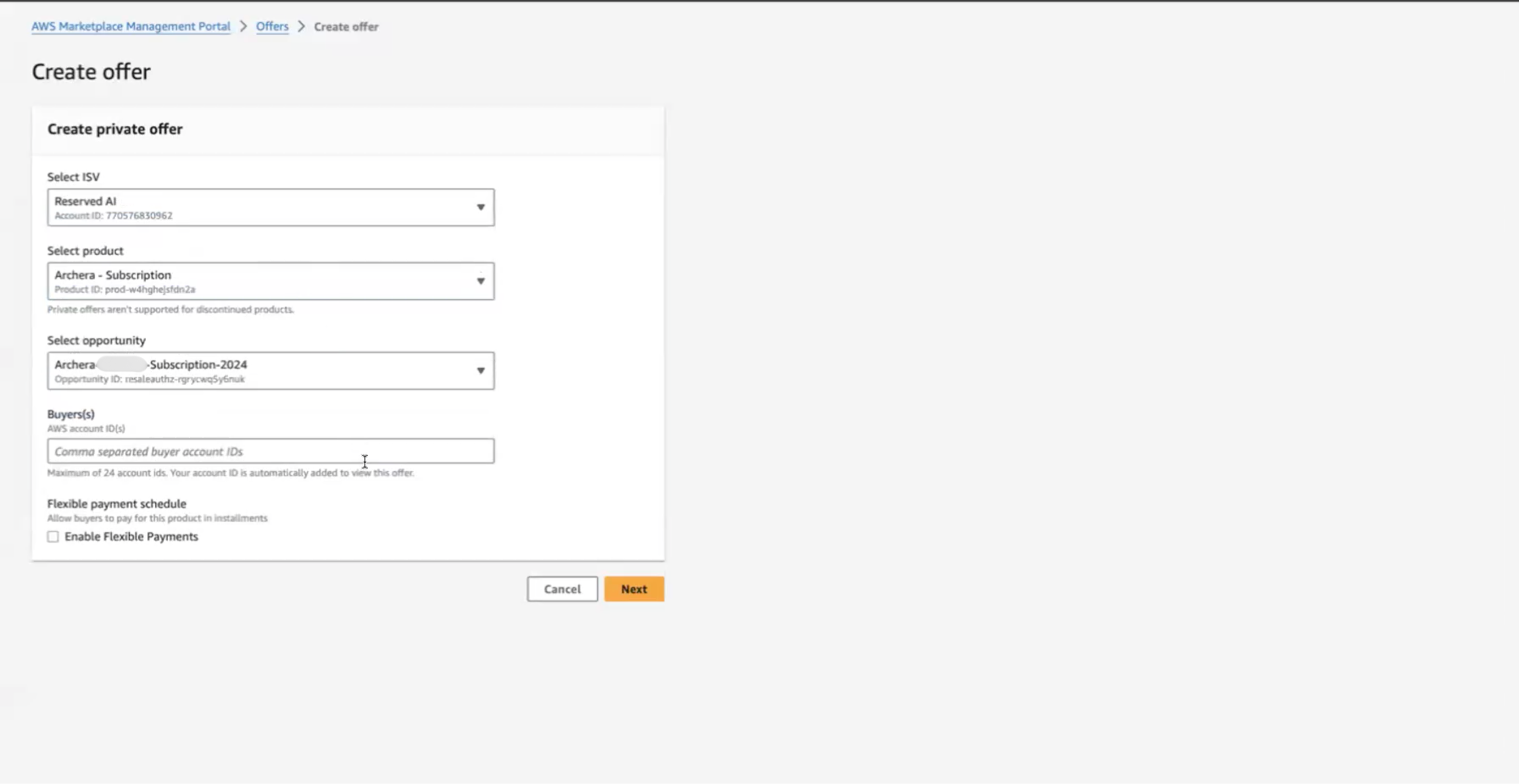
Step 2: Configure Offer Information
On the offer information page:- Offer name: Enter a descriptive name (e.g., “Archera - Subscription”)
- Product: Archera - Subscription (pre-filled)
- Resale authorization name: Archera-[Partner]-Subscription-2024 (pre-filled)
- Buyer account ID(s): Verify customer account IDs
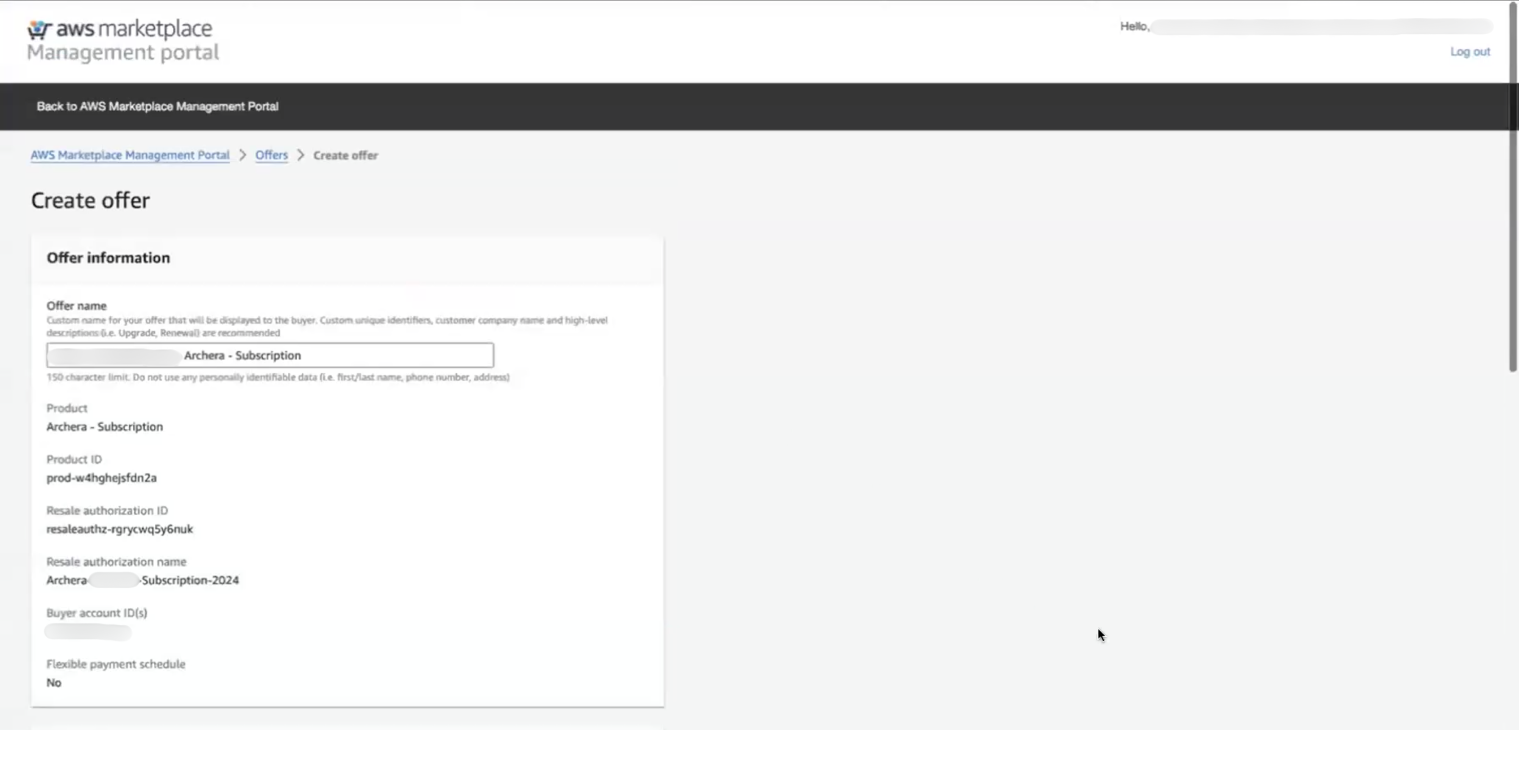
Step 3: Set Pricing and Usage Dimensions
The usage dimension shown will be Guaranteed Reserved Instance Premiums.Higher tier markups (Silver and Gold) are available based on revenue milestones. Contact partnersupport@archera.ai to discuss tier upgrades.
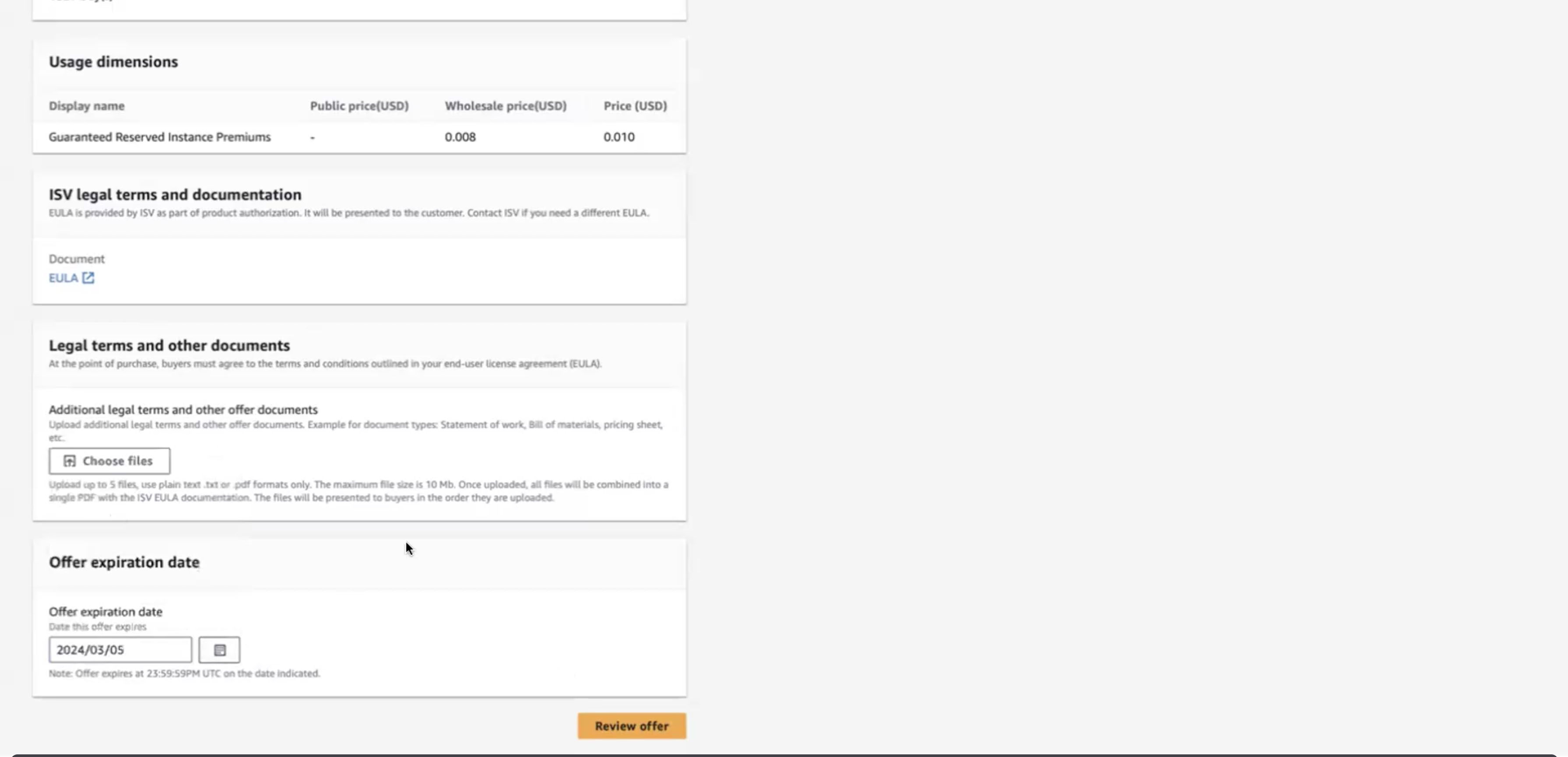
Step 4: Set Usage Duration and Offer Expiration
Usage duration:- Set the end date 10 years in the future (e.g., if today is 2025/03/05, set to 2035/03/05)
- This sets the subscription term to 10 years to avoid renewal requirements
- Set when this specific offer expires (when the customer can no longer accept it)
- This is typically much shorter than the usage duration (e.g., 30-90 days)

Programmatic CPPO Creation
You can also create CPPOs programmatically using the AWS Marketplace Catalog API. This is useful for automating offer creation at scale.Prerequisites
Step 1: Create Draft CPPO Offer
offer_id for next steps
Step 2: Set Pricing Markup
Higher tier markups (Silver and Gold) are available based on revenue milestones. Contact partnersupport@archera.ai to discuss tier upgrades.
Step 3: Set Usage Duration
P3650D = 3650 days = ~10 years)
Step 4: Add Buyer Accounts and Publish
Complete Reference
For more examples and advanced scenarios, see the AWS Marketplace reference code on GitHub.If you’d like help implementing programmatic CPPO creation, reach out to partnersupport@archera.ai or in the shared Slack workspace.
Important Notes
- Ensure that you have the necessary permissions to access and manage private offers
- Double-check that you are selecting the correct offer related to Archera products/services
- Contact partnersupport@archera.ai if you need assistance with CPPO setup